



How to Connect to Chevy Wi-Fi
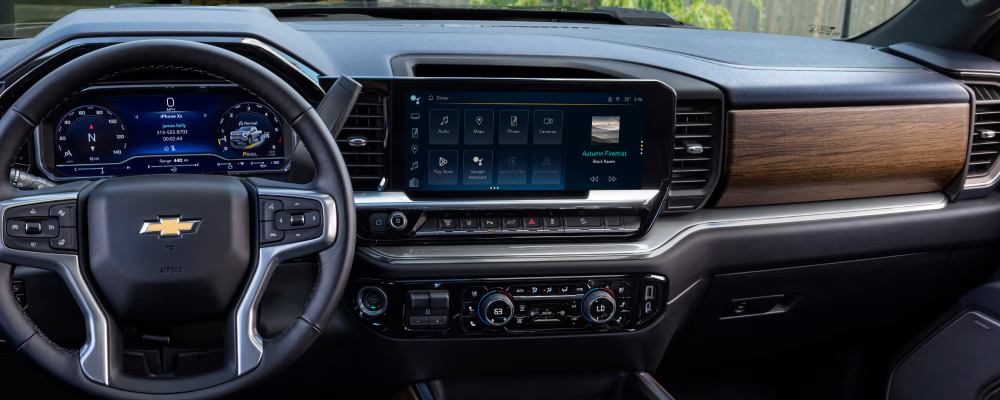
Most new Chevy vehicles come with built-in Wi-Fi hotspot capabilities through OnStar. But how do you start using the Wi-Fi capabilities in your new Chevy vehicle? Discover how to connect to Chevy Wi-Fi in this comprehensive guide or bring your car into the service center at Cox Chevrolet, your Sarasota-area Chevy dealership.
How Do I Set Up My Chevy Wi-Fi Hotspot?
It’s quick and easy to set up your vehicle’s Chevy Wi-Fi hotspot, though you’ll first need to opt into a paid OnStar data plan. After you’ve signed up, simply follow these steps:
- Press the Push-to-Talk button on your steering wheel, then say “Wi-Fi settings.” You can also use the infotainment touchscreen display to navigate to the Wi-Fi settings yourself.
- The infotainment screen will display the default hotspot name and password. If you want to change them, you can either press the blue OnStar button in your Chevy or through the myChevrolet mobile app.
How to Connect to Chevy Wi-Fi
Once you’ve set up your Chevy Wi-Fi hotspot, you’ll need to connect your device. Follow these simple instructions and you’ll have access to a high-speed connection on all your Tampa trips!
- Go to the Wi-Fi settings on your mobile device.
- Find and select your vehicle’s hotspot name.
- Enter the password for your Chevy Wi-Fi hotspot.
- You’re connected!
Other Chevy Connectivity Features
In addition to providing mobile Wi-Fi internet, your new Chevy also makes your drives around Palmetto easier with a full lineup of advanced tech, including:
- Google built-in: Connect your compatible smartphone to enjoy easy access to your most-used apps, like Google Assistant, Google Maps, and Google Play.
- myChevrolet mobile app: Download the app on your phone to maintain control of your vehicle, even when you’re not in it. App features include remote vehicle start/stop, vehicle status, owner resources, trailering assistance, climate control, and more.
Enjoy All the Benefits of Chevy Connectivity with a New Vehicle from Cox Chevrolet
Ready to take advantage of the Chevy Wi-Fi hotspot and all of the other connectivity features available from Chevy? Come check out all the used vehicle specials going on right now at Cox Chevrolet. And if you have any questions, don’t hesitate to visit us in Bradenton, give us a call at (941) 251-0310, or contact us online!




0 comment(s) so far on How to Connect to Chevy Wi-Fi